
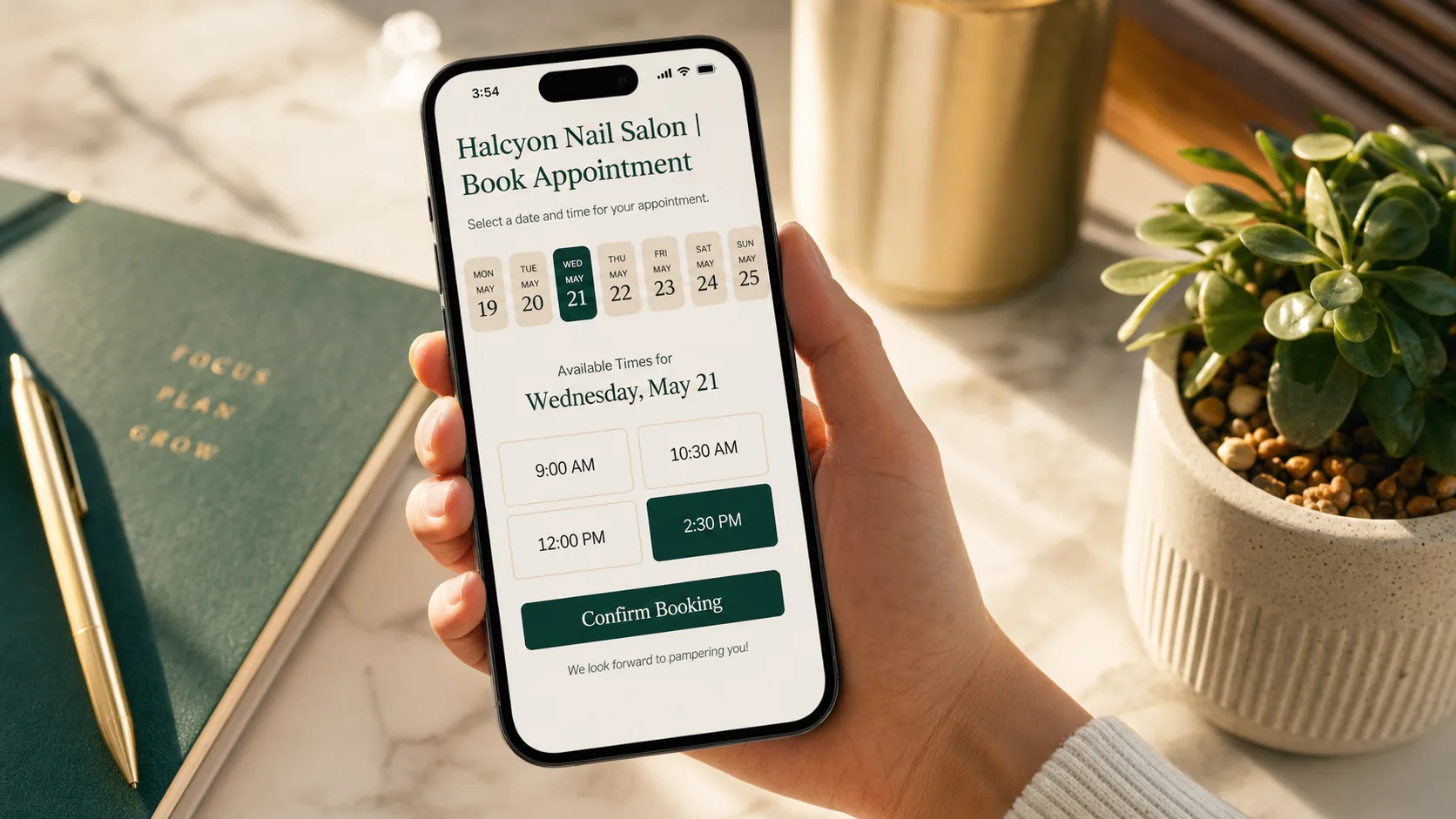
You can either spend 30 minutes a day playing phone tag, or you can spend 30 minutes once setting up an online booking system that handles it for you. Most service businesses still pick the first option. The math is brutal.
Online booking is one of those things that sounds boring until you realize a 25% conversion lift comes from removing the "call to schedule" step. Customers shop on their phones at 9pm. If they can't book in two taps, they go to someone who lets them.
This is the short guide to picking a system that actually works.
What a booking system should do (and what makes a bad one bad)
A good booking system gives the customer five things, all in one screen:
- See your real availability (not "call for hours")
- Pick a service from a clear list with prices
- Pick a specific staff member if you have multiple
- Get a confirmation by text and email
- Get a reminder the day before
That is it. Five things. Most systems can do most of them. The bad ones make one of these clunky, which is usually the deal-breaker.
The most common failure mode: customer picks a slot, then gets sent to a 6-field form to create an account before they can finish. Half of them leave. The other half abandon at the password requirements.
A good system books appointments in under 90 seconds without forcing an account.
The friction points that kill bookings
A booking system can have every feature in the world and still lose customers to friction. Watch for:
- Forcing account creation. Optional accounts are fine. Required accounts kill conversion.
- Surprise fees at checkout. If there is a deposit or booking fee, show it on the first screen.
- Too many services in one list. If your menu has 47 services, group them into 4 to 6 categories with sub-options.
- No timezone handling. Cross-state customers booking in their timezone is more common than most owners realize.
- Email-only confirmations. Text confirmations are mandatory. Email goes to spam.
- No mobile testing. Some systems look fine on a laptop and unusable on a phone. Test yours on your own phone before you launch.
If your current system has more than one of these, that is why your conversion rate looks lower than it should.
The tools that work for most service businesses
There is no single best booking system. The right one depends on what you do, how many staff members you have, and whether you take payments online. The shortlist we recommend most often:
- Calendly: great for consultations and single-staff service businesses. Cleanest UX, but light on payment handling.
- Acuity: Calendly's bigger sibling. Better for multi-staff, multi-service, with built-in intake forms and payments.
- Square Appointments: strong if you already use Square for payments. Combines POS, booking, and payroll.
- Booksy: built for beauty, barbershops, and salons. Has its own customer-facing app and review system.
- Vagaro: similar to Booksy, broader feature set, slightly heavier UI.
- GlossGenius: newer, beautifully designed, built for solo and small-team beauty businesses.
For most general service businesses (HVAC, electricians, plumbers, landscapers), Acuity or Square Appointments cover what you need. For salons, barbershops, pet groomers, and similar, Booksy or GlossGenius are usually a better fit because the customer-facing experience is built for that industry.
Embed it on your site, don't link out
The biggest mistake we see is sending customers off-site to book. "Book on Calendly" with a button that opens a new tab loses 30 to 50% of bookings compared to embedding the booking flow directly on your site.
Every system on the list above supports an embed. When we build TMG sites, we wire the booking widget into the page itself, usually right under the hero. The customer never leaves your domain, never sees the platform's branding, and books in the same flow they arrived in. See how this plays out on real builds like Halcyon Nail Studio, Marlow & Maple, and Coastline Cuts.
Reminders are the no-show insurance policy
The single feature that pays for the entire booking subscription is automated reminders.
A 24-hour SMS reminder reduces no-shows by roughly 30 to 40 percent across most industries. A two-step reminder (one 24 hours out, one 2 hours out) is even better. If your system doesn't do this, or if you have it turned off, turn it on tonight.
Bonus points if the reminder has a one-tap reschedule link. That is worth more than any "rebooking fee" your old policy enforced.
FAQ
Do I need an online booking system if I am a one-person business?
Yes, more than anyone. Every minute you spend on a "what time works for you" text exchange is a minute you are not earning. A one-person operation should automate the entire scheduling flow.
What does an online booking system cost?
$20 to $50 a month for most service business plans, sometimes more if you add SMS reminders and online payments. Compare that to the dollar value of one canceled booking and the math is obvious.
Should I take payment at booking or after the appointment?
Depends on your no-show rate. If you lose more than one booking a week to no-shows, charge a deposit up front. If your no-show rate is already low, you can skip the deposit and reduce friction.
Can I use one system across multiple locations?
Yes. Acuity, Square, Booksy, and Vagaro all support multi-location setups. Calendly is weaker here.
Will my customers actually use it?
Yes, especially under 50. Over 50, mix in a "call to book" button alongside the online widget for the ones who prefer voice. Don't force anything.